MakeBestMusic
Categories:
Audio
Price: Freemium |
Views: 279 |
Clicks: 184
MakeBestMusic is an AI-powered audio production suite that tries to bridge the gap between one-click song generation and actual music production. While many tools just spit out an MP3 and call it a day, this platform adds utility layers like stem splitting and MIDI tools that suggest it wants to be useful to creators, not just casual users making memes.
How it works
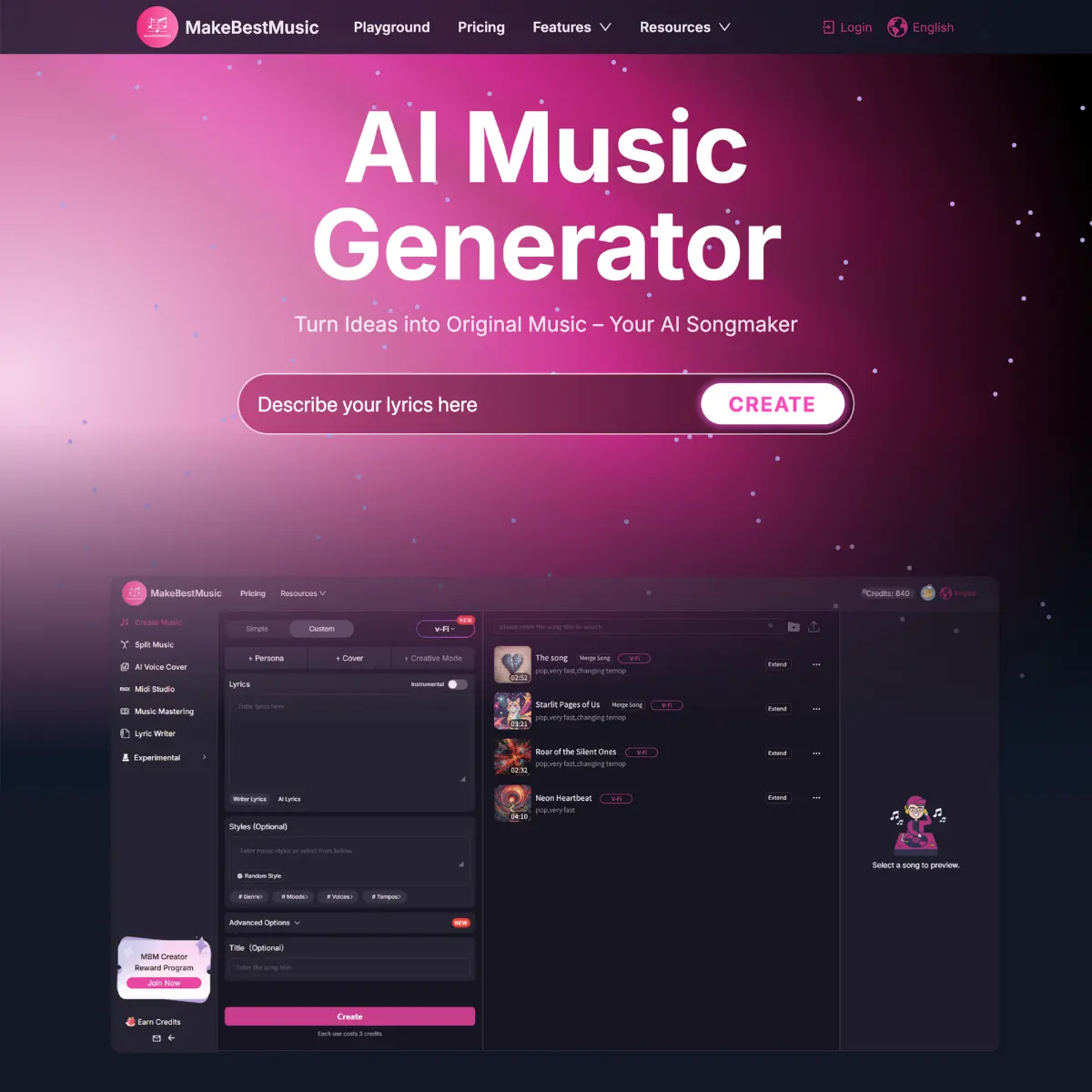
At its core, it operates like most generative music engines: you type a prompt (e.g., "lo-fi hip hop beat for studying" or "upbeat pop song about coffee"), and it generates a track. It offers two distinct workflows: a Simple Mode for quick, hands-off generation, and a Custom Mode where you can input your own lyrics, exclude specific styles, and tweak the "weirdness" of the output.
Stem Splitter: If you like a generated track but hate the vocals, you can strip them out. This is a common pain point with AI audio, and having a splitter built-in is a smart workflow fix.
Voice Cloning & Covers: It includes features to swap vocals or clone voices, leaning into the viral "AI cover" trend.
MIDI Support: Unlike many "black box" generators that give you a flattened audio file, MakeBestMusic offers MIDI capabilities in its studio, which is a significant nod to composers who might want to route the notes through their own VSTs (Virtual Studio Technology) later.
The platform claims a specialization in sophisticated arrangements, including orchestral and cinematic scores. In practice, like most current models, it’s a jack-of-all-trades. It handles pop structures and electronic beats well. The inclusion of commercial rights for paid users makes it a viable option for YouTubers or indie devs needing royalty-free background noise without the copyright strikes.
Key AI Features
Text-to-Song Generation: Creates full tracks with vocals and lyrics from simple text descriptions.
Stem Splitter: Isolates vocals, drums, and instruments from a mixed audio file for remixing or editing.
AI Voice Cloning: Allows users to train or use AI voices to replace vocals in a track.
MIDI Studio: Provides MIDI data options, giving producers control over the actual notes and instrumentation outside the platform.
Custom Mode: Offers granular control over lyrics, style exclusions, and track structure compared to the standard "one-click" generation.